Getting Started with Golda
Welcome to the Golda getting started guide.
We believe a peer-to-peer network that detects antisemitism is one way to decrease exposure to harmful content. Golda is trained to monitor everything on your monitor and alert, block and inform you of what was detected.
Install
Install the Golda Alert extension from the Chrome Web Store.
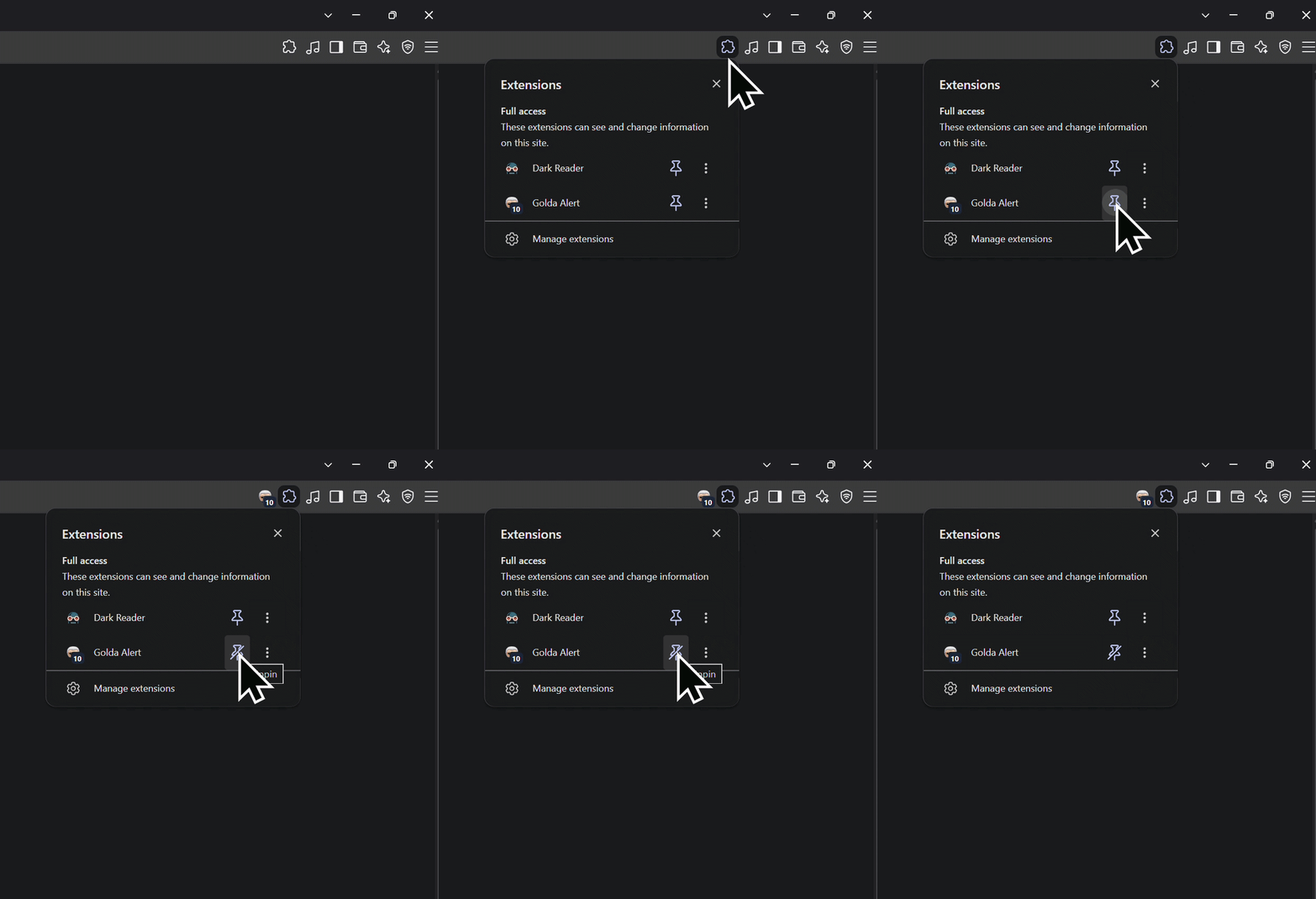
Pin Golda
Click
to the right of the address bar. Then click the pin icon next to Golda.
This will add the Golda button
 to the address bar.
How to use
Golda can monitor a family device in three steps:
-
1
On your account, leave Parent checked, name the device, and generate an invite code.

-
2
On your child's computer, install Golda and paste that code into the extension and press "Connect".

-
3
Press Connect. I am watching that device.
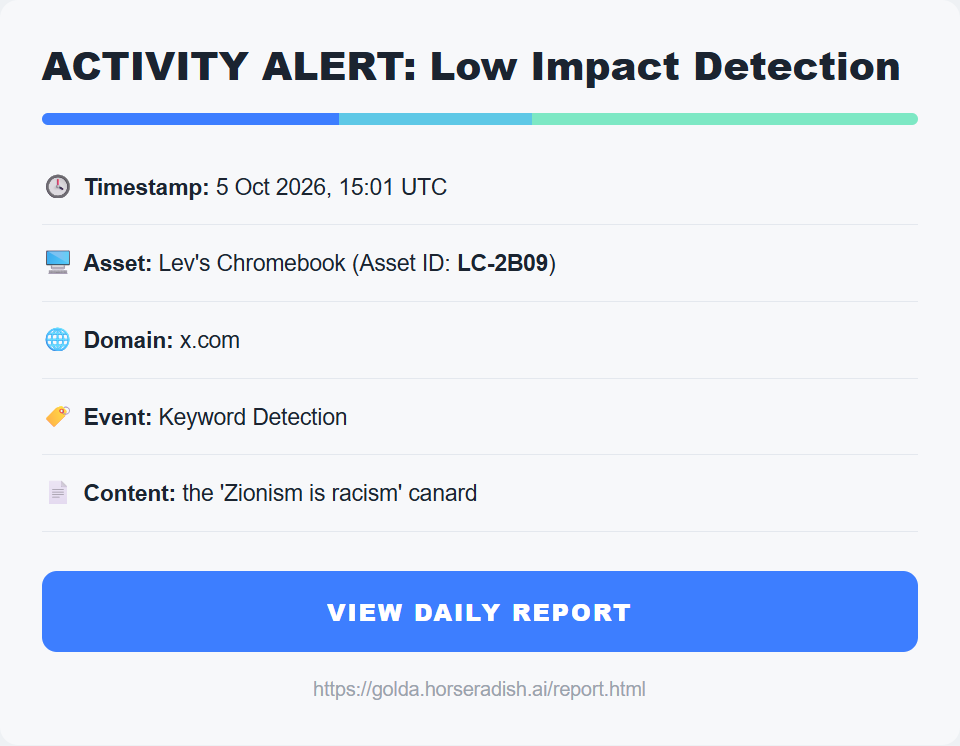
Your report
Today's log is yours and your family's.
Spread the word
Every local Golda extension improves the universal database and brings harmful antisemitic experiences online closer to zero. Spread the word about Golda by letting others know about this unique way to combat antisemitism.